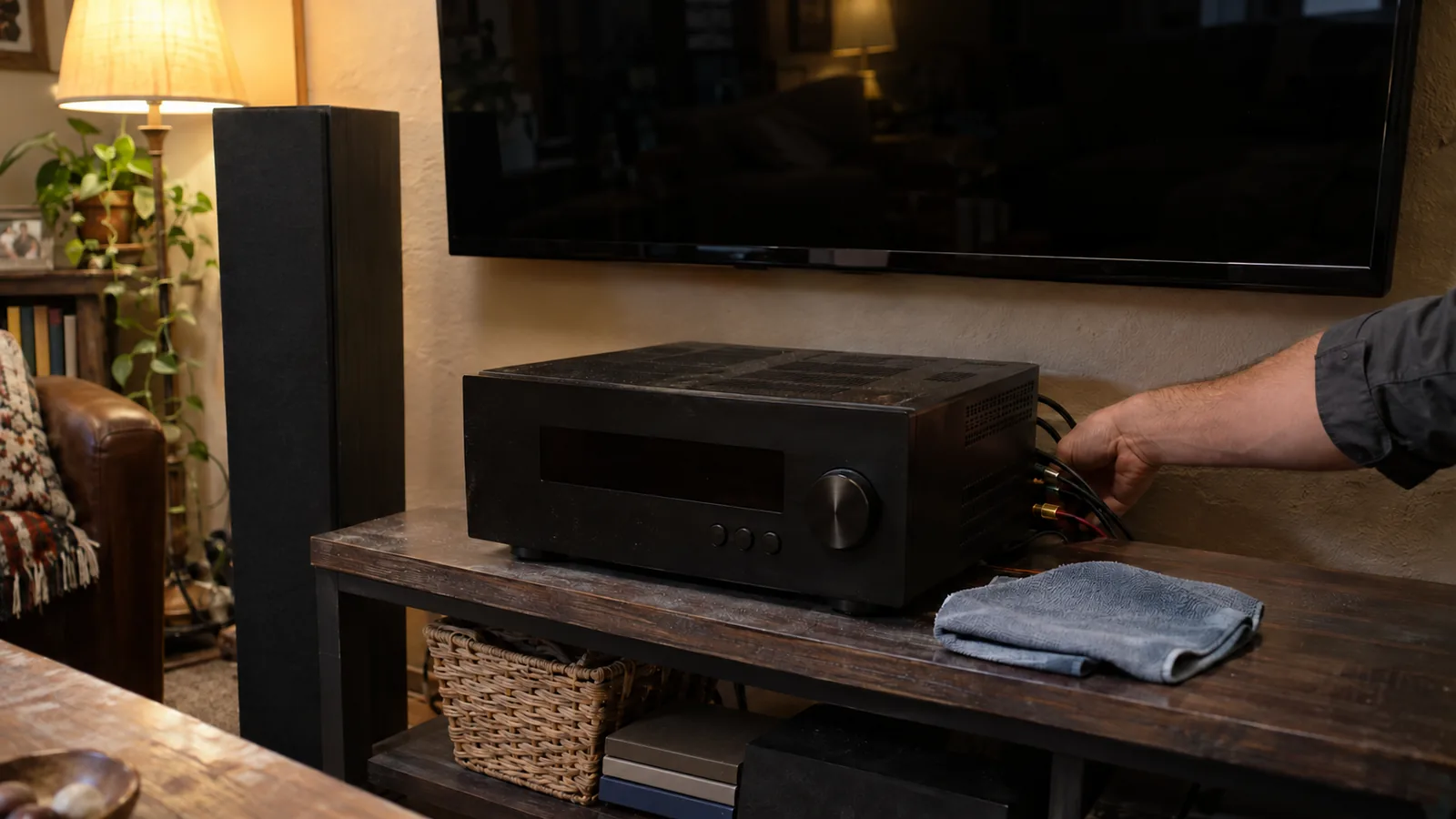
Home theater maintenance in Grand Junction keeps a TV, receiver, speakers and streaming gear sounding and looking the way they did on day one. GJ Tech Help handles the cleaning, cable checks, settings, updates and repairs for home theaters in Grand Junction, Fruita and Palisade, by appointment, with the price agreed before any work starts.
Why a home theater needs maintenance
A home theater is a small system: a TV or projector, a receiver or soundbar, speakers, a subwoofer, streaming boxes, a game console or two, and the cables and Wi-Fi that tie them together. Each piece works fine on its own. Problems usually show up where they connect, or when one piece changes and the others do not.
The common complaints are familiar: no sound from the receiver after the TV updates, a picture that drops out for a second, dialogue that is too quiet while explosions rattle the windows, a remote that no longer controls the soundbar, or a subwoofer that hums when everything is supposed to be silent. Most of these have simple causes, and a regular checkup catches them before they turn into a bigger repair.
A home theater maintenance checklist
This schedule covers what to check and how often. Plenty of it is easy to do yourself.
| Task | How often | Do it yourself? |
|---|---|---|
| Dust the TV, receiver vents and speaker grilles | Monthly | Yes |
| Clean the screen | As needed | Yes, gently (see below) |
| Install software and firmware updates | Every few months | Usually |
| Check cables, connectors and HDMI ports | Once or twice a year | Partly |
| Recheck speaker placement and run room calibration | After moving furniture or gear | Partly |
| Check the TV mount or anchor strap | Once a year | Yes |
| Diagnose dropouts, hum, dead channels or no power | When it happens | Call a technician |
Keep it clean and cool
Heat and dust are the two things that age electronics fastest. Receivers and amplifiers run warm and need air moving through their vents. A receiver packed into a closed cabinet, or with other gear stacked on top of it, runs hotter than it was designed to. Leave space above and behind it, and dust the vents regularly.
Heat matters more here than in many places. Grand Junction summers regularly top 90 degrees, and a receiver closed into a tight cabinet runs hotter still, so give it open space above and behind.
How to clean a TV screen safely
Screens have coatings that are easy to damage. Sony's guide on how to care for an OLED or LCD TV says to turn the TV off and unplug it first, never spray or apply detergent directly to the TV, and wipe gently with a dry microfiber cloth. For stubborn dirt, Sony suggests a cloth lightly moistened with water or 70% isopropyl alcohol, applied to the cloth and not the screen, and warns that pressing while wiping can cause temporary spots on LCD screens.
Samsung's screen cleaning guidance adds that harsh chemicals like ammonia, benzene or window cleaners can strip the anti-glare coating. Skip the glass cleaner.
Cables, HDMI and connection problems
HDMI carries picture, sound and control signals between devices. When something in that chain is marginal, you get flickering, a black screen for a few seconds, or sound that drops out. The usual suspects are a cable that is too long or too cheap for the signal, a connector that has been bumped loose behind the TV, or a cable bent sharply against the wall.
For newer 4K TVs and game consoles, a certified cable matters. The HDMI Licensing Administrator says the Ultra High Speed HDMI Cable supports configurations up to 48Gbps, and certified cables carry a label on the package that can be checked by scanning it with a QR code app. It also warns that some cables are counterfeits.
Behind a wall-mounted TV, cables also need room. A tight bend at the connector strains it every time the TV is adjusted. Good TV mounting and cord management leaves slack and secures the cables so the ports do not carry the weight. For runs to a projector or a rear speaker, custom cables made to length keep things tidy without coils of extra wire.
Settings, updates and calibration
Software and firmware updates
TVs, receivers, soundbars and streaming boxes all get software updates. They fix bugs and sometimes change how devices talk to each other, which is why sound can disappear after an update to only one piece. Keeping every device current, then rechecking audio settings, fixes a lot of mystery problems.
Speaker placement and room calibration
Speakers sound best when they are aimed at where you sit. Dolby's speaker setup guides recommend picking a central listening spot, pointing the speakers toward it, and keeping the main speakers at ear height when you are seated. Many receivers also include a calibration microphone that measures the room and sets speaker levels and distances automatically. If furniture moves or a speaker gets relocated, run it again.
When dialogue is hard to hear, the center channel level, a dialogue enhancement setting, or the TV sending the wrong audio format to the receiver is often the cause. Those are settings, not broken parts.
Wi-Fi for streaming
Buffering and drops in streaming apps are often a network problem, not a TV problem. A wired connection to the TV or streaming box is the most reliable fix, and a better Wi-Fi setup helps the rest of the house too. That work falls under computer help and Wi-Fi setup.
Projectors and subwoofers need their own attention
Projectors pull a lot of air through to keep the light source cool, and many have an air filter that clogs with dust. A dirty filter makes the projector run hot, get loud, or shut itself off. Check the manual for the filter location and cleaning interval. Lamp-based projectors also dim as the lamp ages, and most show lamp hours in the settings menu, which tells you when a replacement is due.
Subwoofers cause more than their share of complaints. A low hum with nothing playing often comes from the way the sub is connected or grounded, not from a broken sub. Boomy, uneven bass is usually placement: moving the sub a few feet, or out of a corner, can change it a lot. Run the receiver's calibration again after any move.
Safety: anchor the TV
A TV on a stand or a dresser can tip if it is pulled on, especially by small children. The U.S. Consumer Product Safety Commission's Anchor It campaign recommends anchoring TVs and furniture with drawers, doors or shelves to the wall, using an anchoring kit, and tugging on the straps afterward to make sure they hold. A wall mount does the same job for the TV. Either way, a once-a-year check that the mount is tight and the strap is still attached takes a minute.
When home theater gear needs a repair
Some problems are past what cleaning and settings can fix: a receiver that shuts off when it warms up, a channel that stays silent no matter what, a subwoofer amplifier that hums or buzzes, or a unit that will not power on at all. Those go to the bench. GJ Tech Help repairs receivers, amplifiers and powered speakers, and the post on electronics repair in Grand Junction covers how to decide between repairing and replacing. Older receivers and amplifiers that people want to keep using are covered in vintage electronics restoration.
How a home theater visit works in Grand Junction
- Call or text 970-250-6613. Describe what is wrong and send a photo of the setup and the back of the receiver or TV if you can.
- Get a clear price. Cody tells you the cost before any work starts. Customers 55 and older get a 15% discount.
- The visit. Cleaning, cable checks, updates, settings and calibration happen on-site. Anything that needs a repair goes to the bench.
- Plain-English rundown. You get an explanation of what was changed and how to keep it working.
Work is by appointment across Grand Junction, Fruita, Palisade, Clifton, Orchard Mesa, the Redlands, Loma and Whitewater. To set up a home theater checkup, contact GJ Tech Help.
Common questions
How often should a home theater be maintained?
Dust it monthly, update software every few months, and check cables, mounts and speaker setup once or twice a year. Call a technician when you see dropouts, hum, dead channels or no power.
How do I clean a TV screen without damaging it?
Turn the TV off and unplug it, then wipe gently with a dry microfiber cloth. Never spray liquid on the screen, and avoid ammonia and window cleaners, which can strip the coating.
Why did my sound stop working after a TV update?
Updates can change how the TV sends audio to a receiver or soundbar. Check that every device is updated, then recheck the TV's audio output settings and the HDMI connection.
Do I need a special HDMI cable for a 4K TV?
For newer 4K TVs and consoles, a certified Ultra High Speed HDMI cable avoids dropouts. Certified cables have a label on the package you can scan with a QR code app.
What does a home theater checkup cost?
It depends on the setup and what needs attention. GJ Tech Help gives you the price before any work starts, by appointment. Customers 55 and older get a 15% discount.
Do you do home theater maintenance in Fruita and Palisade?
Yes, by appointment. GJ Tech Help works across Mesa County, including Grand Junction, Fruita, Palisade, Clifton, Orchard Mesa, the Redlands, Loma and Whitewater.
About the technician
GJ Tech Help is run by Cody Kennerknecht: 13 years in live television as a newscast director and broadcast engineer, IT and cybersecurity lead for Charity Safaris, and FCC-licensed amateur radio operator K6SBR. More about Cody.