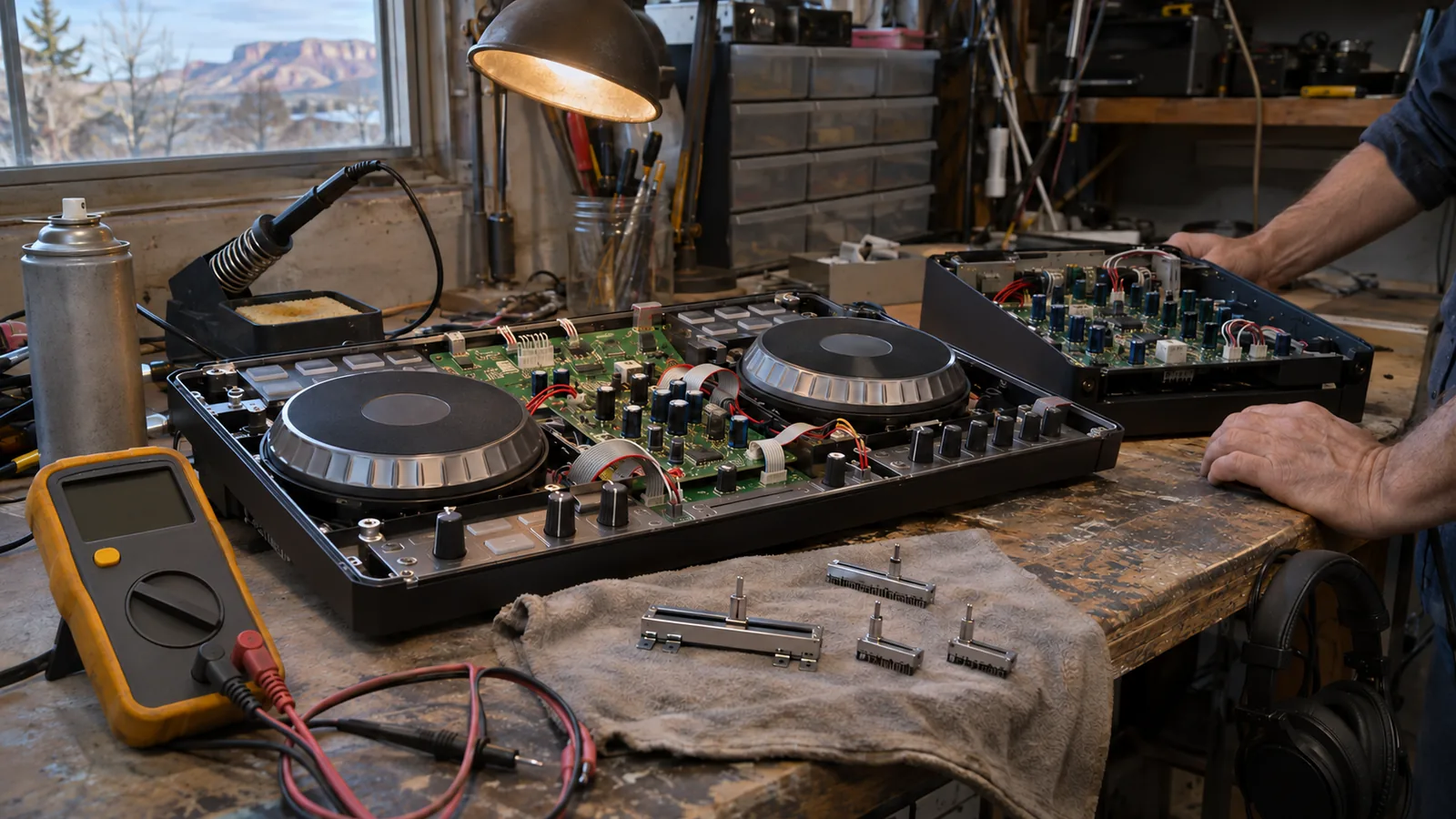
DJ equipment repair in Grand Junction keeps CDJs, controllers and mixers working without shipping them to a service center and losing weeks of gigs. GJ Tech Help fixes noisy faders, dead channels, broken jacks, worn jog wheels and power problems for DJs in Grand Junction, Fruita and Palisade, and gives you the price before any work starts.
What DJ equipment repair in Grand Junction covers
DJ gear lives a hard life. It gets loaded into trucks, set up on folding tables, run for five hours in a hot room and packed up again at two in the morning. The parts that fail are the ones that move or get plugged in, and those are the parts a technician can replace.
- Media players and CDJs: jog wheels that drift or stop responding, buttons that need a hard press, USB ports that stop reading drives, and displays that go dark.
- DJ controllers: dead pads, jumpy pitch faders, platters that lose touch sensitivity, and USB connections that drop out mid-set.
- DJ mixers: scratchy channel faders and crossfaders, EQ knobs that crackle, a dead channel or booth output, and headphone jacks that only work at an angle.
- Cables and connections: RCA, XLR, quarter-inch and power leads that cut in and out. See camera, mic and DJ equipment repair for the full list of gear GJ Tech Help works on.
When a plastic knob, fader cap or foot is missing and the maker no longer sells it, custom 3D printing can often make a replacement that fits.
Common DJ gear faults and what usually causes them
Most problems point to a short list of causes. This table helps you describe the fault and gives you a sense of what a repair involves.
| Symptom | Likely cause | What the fix usually involves |
|---|---|---|
| Crossfader or channel fader cuts out or scratches | Dirty or worn fader track | Cleaning or replacing the fader |
| Crackle when turning an EQ or gain knob | Oxidized or worn potentiometer | Cleaning, or a new pot soldered in |
| Sound only when the cable is held at an angle | Cracked solder joint on the jack, or a worn jack | Reflowing the joint or replacing the jack |
| Jog wheel drifts or stops responding | Dirty or worn sensor, loose ribbon cable | Cleaning, reseating or replacing the sensor parts |
| USB drive not recognized, or controller drops off the laptop | Worn USB port, loose internal connection, firmware or driver issue | Port replacement, or a firmware and driver check |
| Unit dead, or shuts off when warm | Power supply fault | Diagnosing and repairing the supply |
Spilled drinks are their own category. A sticky fader after a spill may clean up completely, or liquid may have reached the circuit board. If something gets wet, unplug it right away and do not power it back on to test it.
Safe checks before you call
A few checks take five minutes and can save a repair. None of them involve opening the unit.
- Swap the cable. Try a different USB, RCA or XLR cable and a different input on the next piece of gear. A surprising number of "dead channel" problems are a bad cable.
- Try another port and another drive. If a media player will not read a USB drive, test a second drive that you know works, and a different USB port on the unit.
- Check firmware and drivers. Controllers and players depend on firmware and, for laptop setups, drivers. The maker's support site is the place to get them. Pioneer DJ gear is now supported through AlphaTheta's help center, and Denon DJ has its own Denon DJ support site. Follow the update instructions exactly, and never unplug a unit during a firmware update.
- Isolate the laptop. If a controller drops out, try it on a second computer or a different USB port. If the problem follows the laptop, the fix may be on the computer side, which is what computer help and IT support covers.
Stop there. Do not spray cleaner into faders without knowing what is safe for that part, and do not open a unit that is under warranty. Static can also damage electronics: the EOS/ESD Association notes that many electronic components are damaged by less than 100 volts of static, far below what you can feel. That is one reason technicians work on grounded mats and handle boards by the edges.
Why local DJ equipment repair matters on the Western Slope
For a working DJ, the cost of a broken mixer is the gig you cannot play, not just the bill. Mail-in service means packing the unit, shipping it out and waiting for it to come back, often through a busy wedding or holiday season. A repair across town lets you drop the gear off by appointment, talk to the person fixing it, and ask what failed and how to keep it from happening again.
Cody Kennerknecht, who runs GJ Tech Help, spent 13 years in live television as a newscast director and broadcast engineer at NBC-affiliate stations in Casper, Wyoming and Grand Junction. Live TV and live DJ sets have the same rule: the show starts on time whether the gear cooperates or not. Read more about Cody.
Keeping DJ gear working between repairs
- Use cases or covers. Dust and grit in faders is the most common cause of scratchy fades. Cover the gear between gigs and when it sits in the truck.
- Keep drinks off the table. Put them on a separate surface below the deck height.
- Strain-relieve your cables. Loop or tape cables so a kicked cord pulls on the table leg, not the jack.
- Let cold gear warm up. Bringing gear in from a cold truck into a warm, humid room can cause condensation. Give it time to reach room temperature before powering on.
- Carry spares. A spare USB cable, RCA pair, power cable and USB drive solve many problems in the middle of a set.
- Back up your library. Keep at least two copies of your music and playlists on separate drives.
Venues with permanent DJ booths, churches and event spaces often have the same issues across the whole system. GJ Tech Help also sets up and troubleshoots church livestream and AV systems where DJ-style mixers feed a stream or a room.
Repair or replace?
Pro DJ gear holds its value, and most faults involve one part, so repair usually makes sense for quality mixers, players and controllers. Budget controllers are a closer call: if the repair costs close to a new unit, replacing may be the better choice, and Cody will tell you so. If a unit cannot be saved, it should go to an e-waste drop-off, not the trash. Our post on electronics repair in Grand Junction explains Colorado's e-waste rules and where to take old gear in Mesa County.
How a DJ repair works with GJ Tech Help
- Call or text 970-250-6613. Describe the problem and send a short video if you can. A clip of a fader cutting out tells a technician more than a paragraph.
- Get a clear price. Cody looks at the gear and tells you the cost before any work starts. Customers 55 and older get a 15% discount.
- The repair. Work is done at the bench, by appointment.
- Plain-English rundown. You hear what failed, what was replaced, and how to keep it working.
When you bring gear in, include the power supply, the USB cable you normally use, and a note of your firmware version if you know it. For intermittent faults, write down when the problem shows up: right at power-on, after an hour of playing, or only when a certain knob or fader is moved. Faults that only appear when the unit is warm are much easier to find when the technician knows to look for them.
The service area covers Grand Junction, Fruita, Palisade, Clifton, Orchard Mesa, the Redlands, Loma and Whitewater, with farther parts of the Western Slope by arrangement. Got a gig coming up and gear acting strange? Contact GJ Tech Help to set up a time.
Common questions
Can a scratchy crossfader be fixed?
Usually, yes. A scratchy or cutting crossfader is most often a dirty or worn fader. It can be cleaned or replaced, and the rest of the mixer is usually fine.
Should I clean my DJ mixer faders with spray cleaner?
Not without knowing what is safe for that fader. The wrong cleaner or too much of it can wash out lubricant or damage the track. If cleaning does not fix it, have it looked at.
What should I do if I spill a drink on my controller?
Unplug it right away, do not power it back on to test it, and bring it in. Liquid on the circuit board can cause damage that gets worse if the unit is switched on wet.
How much does DJ equipment repair cost?
It depends on the fault and the parts. GJ Tech Help looks at the gear first and gives you the price before any work starts. Customers 55 and older get a 15% discount.
Do you repair DJ gear for Fruita and Palisade?
Yes. GJ Tech Help works with DJs across Mesa County, including Fruita, Palisade, Clifton, Orchard Mesa, the Redlands, Loma and Whitewater, by appointment.
About the technician
GJ Tech Help is run by Cody Kennerknecht: 13 years in live television as a newscast director and broadcast engineer, IT and cybersecurity lead for Charity Safaris, and FCC-licensed amateur radio operator K6SBR. More about Cody.