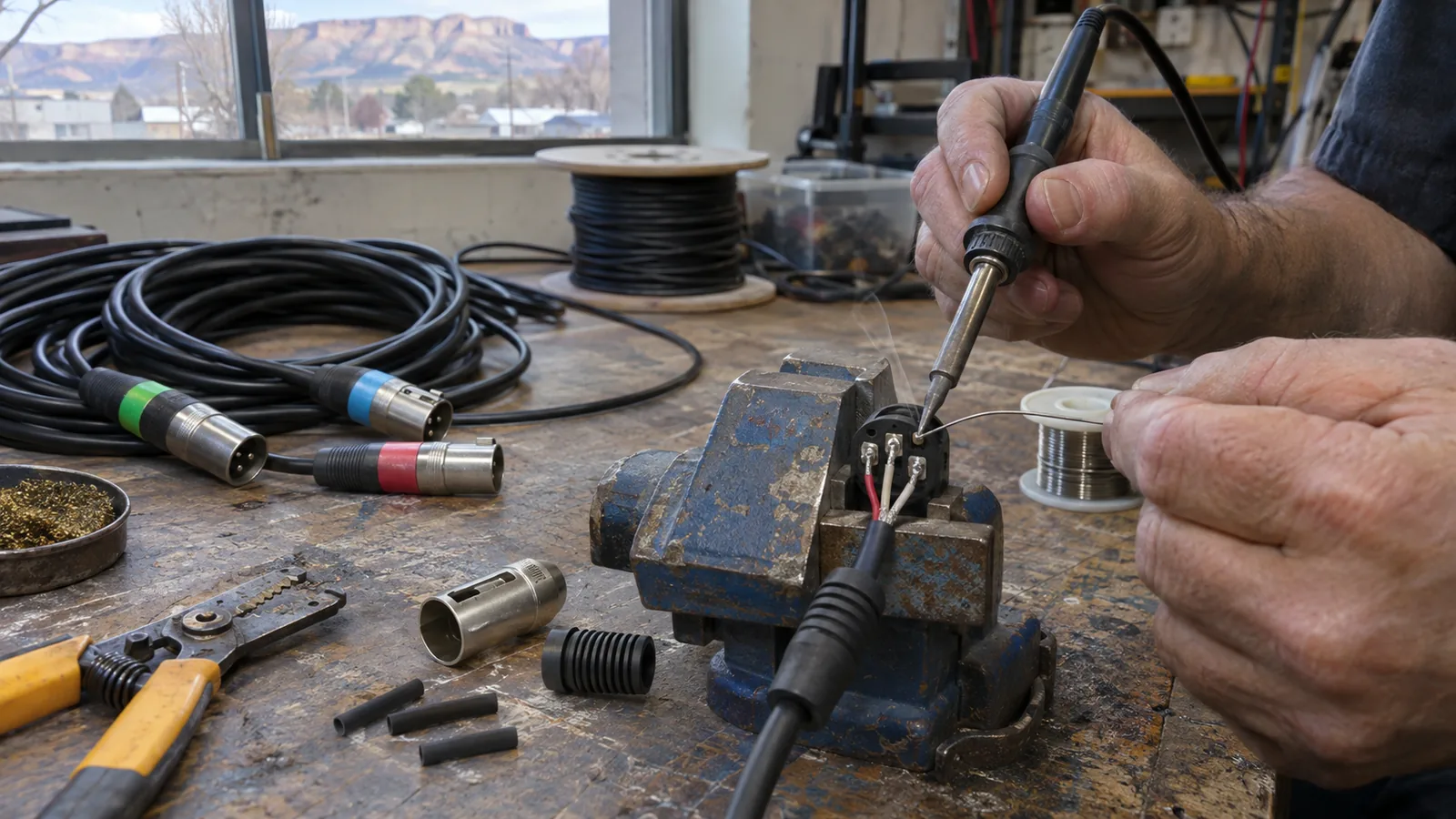
Custom cables in Grand Junction are made to the exact length and connectors a job needs, then run and labeled so the setup stays tidy and reliable. GJ Tech Help builds audio, video and network cables and routes low-voltage cable through homes, churches and offices in Grand Junction, Fruita and Palisade, with the price agreed before any work starts.
What custom cables are, and when they make sense
A custom cable is built for one spot: the right length, the right connector on each end, and the right type of wire for the signal it carries. Store-bought cables come in fixed lengths and common connector pairs. That works for a TV and a streaming box. It works less well for a church stage, a rack of gear, or a desk where every cable is three feet too long.
Custom cables tend to pay off when:
- A run is longer than off-the-shelf cables go, or an exact length keeps a stage or booth clean.
- Two pieces of gear need an unusual adapter, such as XLR on one end and quarter-inch on the other.
- Many cables need to be the same length and labeled the same way, like a set of mic cables for a worship team.
- An existing cable keeps failing at the connector and is worth rebuilding instead of replacing.
- Cable has to pass through a wall, ceiling or floor, so the connectors go on after the wire is pulled.
Types of custom cables GJ Tech Help makes
Each signal has its own best cable. This table covers the usual ones.
| Cable type | Common connectors | Typical use | What to know |
|---|---|---|---|
| Balanced audio | XLR, TRS quarter-inch | Microphones, mixer to amplifier, stage boxes | Rejects hum and noise, so it handles long runs well |
| Unbalanced audio | RCA, TS quarter-inch, 3.5 mm | Home stereo, DJ gear, instruments | Keep runs short; picks up noise more easily |
| Speaker wire | Bare wire, banana plugs, speakON | Amplifier or receiver to speakers | Use heavier wire for longer runs |
| Network | RJ45 (Cat6, Cat6A) | Wi-Fi access points, computers, cameras, streaming gear | Total link length is limited to 100 meters |
| Coax | F, BNC, PL-259, N | TV antennas, video, ham radio | Connector quality decides how well the signal survives |
| HDMI | HDMI | TVs, projectors, receivers, cameras | Usually bought certified, then routed and secured |
Coax for antennas ties in with ham radio antenna installation, and the network side ties in with computer help and Wi-Fi setup.
Balanced vs. unbalanced audio cable
Most noise problems in audio come from the wrong cable on a long run. QSC's guide to balanced, unbalanced and loudspeaker cables explains the difference simply. A balanced cable carries the signal on two conductors separate from the shield, and the input listens only to the difference between them, so noise that lands on both lines cancels out.
That is why balanced cable can run much farther. QSC puts typical balanced runs at 15 to 30 meters (50 to 100 feet) and says unbalanced cables should not be longer than 4 to 6 meters (15 to 20 feet), especially with low-level sources in noisy places. For speaker wire, the same guide says resistance rises with length, so long runs call for thicker wire.
In practice that means mic lines, stage snakes and mixer-to-amp runs should be balanced, and RCA or instrument cables should stay short. If a DJ rig or a home stereo hums, an unbalanced cable that is too long or routed beside power cords is a common suspect.
Network and HDMI cable runs
Network cable
Ethernet has a hard length limit. The maximum channel length is 100 meters (about 328 feet), including the permanent link plus patch cords and equipment cords. A wired run to a Wi-Fi access point at the far end of a building, a church office or a shop usually fits well inside that, but it is worth measuring before the cable is pulled.
Wired connections are the most reliable way to feed a livestream computer, a smart TV or a security camera. If the Wi-Fi in a big house or office keeps dropping, a cable run to a second access point often fixes it for good.
HDMI
HDMI is one cable GJ Tech Help does not build from scratch, because certified cables do the job better. The HDMI Licensing Administrator says the Ultra High Speed HDMI Cable supports configurations up to 48Gbps, and that certified cables carry a label on the package that can be scanned with a standard QR code app to check certification. Some cables on the market are counterfeits, so that label matters. Cody's part is choosing the right certified cable, routing it, and making sure it is not bent tight or pulled at the connector.
Running cable cleanly in Mesa County homes, churches and offices
A good cable run is one you never have to think about again. These are the habits that make that happen:
- Plan the route first. Measure, then add slack for a service loop at each end so connectors can be redone without a new pull.
- Keep signal away from power. Audio and video cables run beside power cords pick up hum. Where they must meet, crossing at a right angle keeps it to a minimum.
- Relieve the strain. Connectors fail when the cable's weight hangs on them. Ties, clips and proper boots take the load.
- Label both ends. When something stops working on a Sunday morning, labels save the day.
- Use the right wall plates and raceways. Low-voltage plates and paintable raceway hide cable without opening up every wall.
GJ Tech Help works on low-voltage cable only: audio, video, network and antenna. Line-voltage electrical wiring is a job for a licensed electrician.
Clean cable work shows up on a lot of other jobs too. It is part of TV mounting and cord management, church livestream and AV setup, and getting a video production kit back into service with cables that do not cut out.
Custom cables for church stages and livestream booths
Churches and event spaces are where custom cable work pays off the most. A typical stage has microphones, instruments, monitors and a booth at the back of the room, and every one of those connections gets plugged and unplugged by volunteers week after week.
A few things make that setup easier to live with:
- A stage box or snake. One multicore cable from the stage to the booth replaces a pile of separate runs across the floor.
- Matched mic cables. A set of cables in the lengths the stage actually needs, each labeled, so volunteers grab the right one.
- A dedicated network run to the stream computer. A wired connection keeps the livestream from dropping when the building's Wi-Fi gets busy.
- Clean audio from the mixer to the stream. A proper balanced feed avoids the hum and buzz that show up on recordings even when the room sounds fine.
Cody spent 13 years in live television as a newscast director and broadcast engineer, where cable that cuts out during a show is not an option. You can read more about his background.
Fixing a cable instead of replacing it
Cables usually fail in one place: right where the wire enters the connector, after years of being bent and yanked. If the wire itself is in good shape, a new connector restores it. That is especially worth doing with long runs, multicore snakes, and specialty cables that are expensive or hard to find.
A cable that crackles when it moves, works only at one angle, or cuts out on one channel is a candidate. Bring it in with any others that act up, and they can be tested and rebuilt together as part of equipment repair.
How a custom cable job works in Grand Junction
- Call or text 970-250-6613. Describe what needs connecting and send photos of the connectors on both pieces of gear.
- Measure the route. For runs through a building, Cody looks at the space in person.
- Get a clear price. You get the cost before any work starts. Customers 55 and older get a 15% discount.
- Build, run and test. Every cable is tested before it goes into service, and both ends are labeled.
Work is by appointment across Grand Junction, Fruita, Palisade, Clifton, Orchard Mesa, the Redlands, Loma and Whitewater. To plan a cable job, contact GJ Tech Help.
Common questions
Can you make a custom-length XLR cable?
Yes. GJ Tech Help builds XLR, TRS, RCA, speaker, coax and network cables to the length and connectors you need, and tests each one before it goes into service.
How long can an audio cable be before it causes noise?
QSC's guidance puts unbalanced cables at no more than 15 to 20 feet and balanced cables at typical runs of 50 to 100 feet. Long runs should be balanced.
How long can an Ethernet cable run be?
The maximum channel length is 100 meters, about 328 feet, and that includes the patch cords at each end. Longer distances need a switch or another approach.
Do you run cable through walls?
Yes, for low-voltage cable such as audio, video, network and antenna lines, using wall plates and raceways. Line-voltage electrical wiring needs a licensed electrician.
How much does a custom cable job cost?
It depends on the cable, connectors and the route. Cody gives you the price before any work starts, by appointment. Customers 55 and older get a 15% discount.
Do you make cables and run cable in Fruita and Palisade?
Yes, by appointment. GJ Tech Help works across Mesa County, including Grand Junction, Fruita, Palisade, Clifton, Orchard Mesa, the Redlands, Loma and Whitewater.
About the technician
GJ Tech Help is run by Cody Kennerknecht: 13 years in live television as a newscast director and broadcast engineer, IT and cybersecurity lead for Charity Safaris, and FCC-licensed amateur radio operator K6SBR. More about Cody.